How to Post & Respond
1) How do I post a roommate/rental ad on Sulekha?
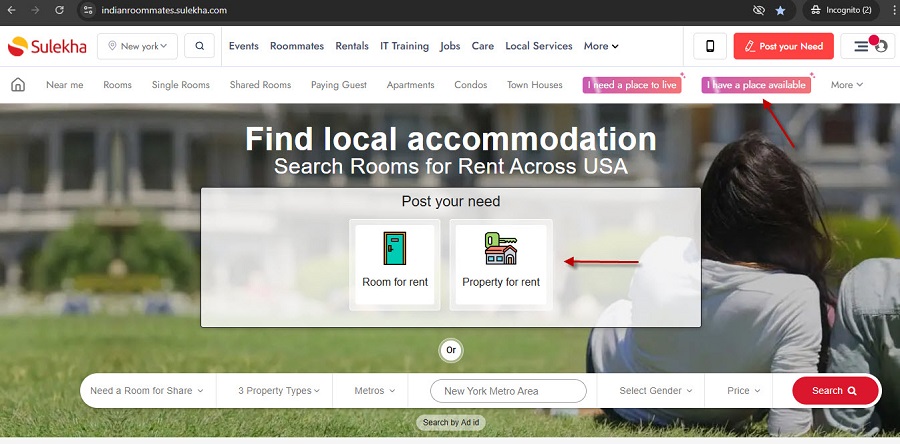
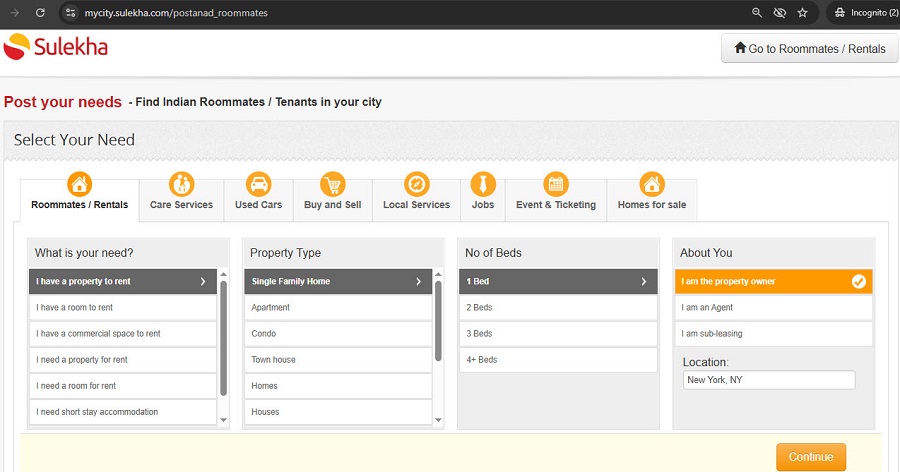
On Sulekha, you can post ads under two categories - Roommates or Rentals. Choose the right option based on your need:
- Roommates: Select "I have a room to rent/I need a room for rent" if you are offering or looking for a shared room/roommate/private room to share in an apartment/house. Example: You have a 2BHK and want to share one room, or you just need a room in an existing shared house.
- Rentals: Select "I have a property to rent/I need a property for rent" if you are offering or looking for a full house/apartment/independent unit. Example: You want to rent out your entire apartment, or you’re looking to rent a full property for yourself/family.
Steps to post your ad:
- Log in to your Sulekha account (or sign up if you’re new).
- Go to “Post Your Ad” and choose either Roommates or Rentals.
- Enter the required details: Ad title & description; Property type & details (rent, deposit, bedrooms, bathrooms, availability, amenities, etc.)
- Location & neighborhood
- Roommate/Tenant preferences (age, gender, occupation, lifestyle, etc.)
- House rules (smoking, pets, food preferences, etc.)
- Upload photos for better visibility.
- Review and click Submit/Publish.
Your ad will go live after successful submission, and interested users can start contacting you.
2) How do I upload pictures to my ad?
You can upload pictures to your ad in two ways:
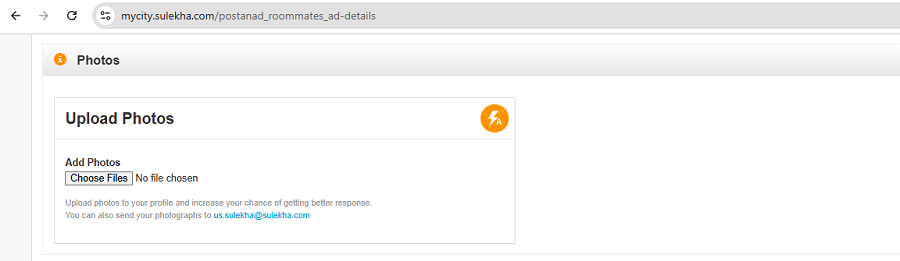
- While posting your ad: You will see an “Upload Photos” option during the posting process. Click it and select pictures from your device.
- After posting, through your account dashboard: Go to your dashboard, choose the ad you want to edit, and click on the “Upload Photos” option. Then, select pictures from your device.
We currently accept images in JPEG and PNG formats. If your photos are in a different format, please convert them to one of the accepted formats before uploading. Clear, good-quality images increase your ad’s visibility and attract more responses.
3) How do I contact an advertiser I’m interested in?
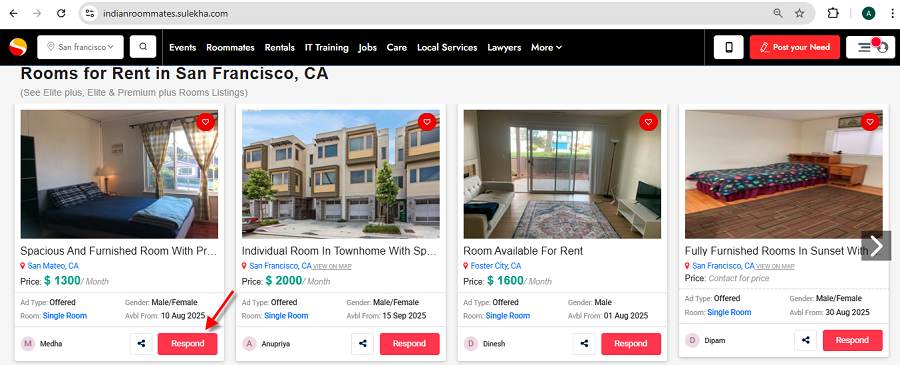
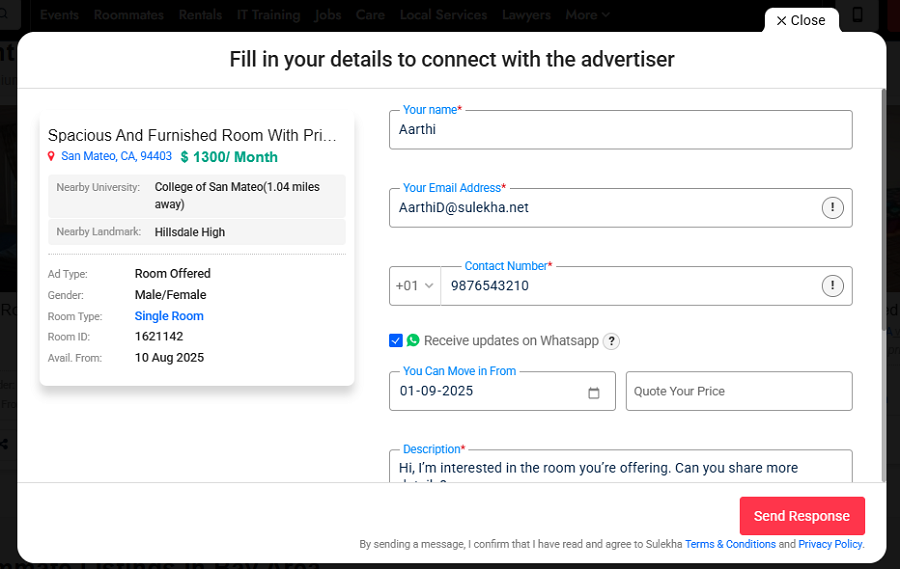
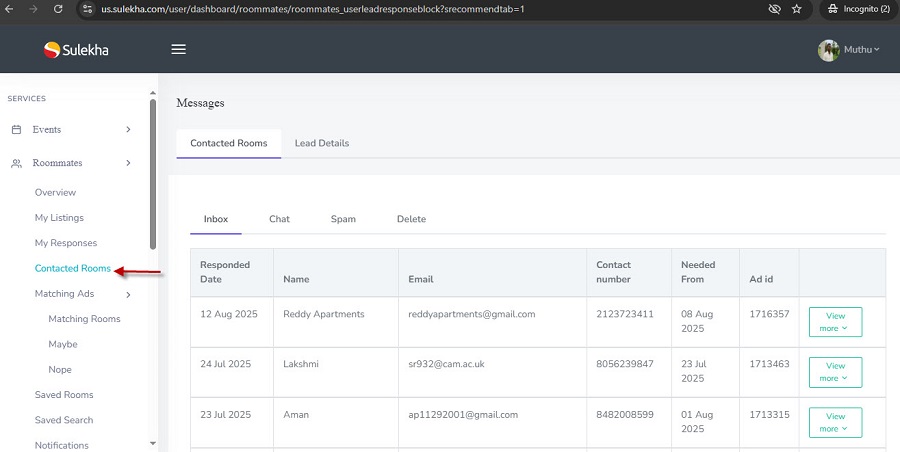
To contact an advertiser, click on the “Respond” button of the ad you’re interested in. Fill in your details in the respond form, click Send, and verify the OTP. Your details will then be shared with the advertiser. If they are interested in your request, they will contact you directly.
You will also receive the advertiser’s contact details in your registered email and under the “Contacted Properties” section of your Sulekha dashboard.
Note: Some advertisers may choose not to share their contact details. In such cases, you’ll need to wait until they reach out to you.
- Free users get limited access to advertiser contact details.
- Prime members enjoy unlimited access to all advertiser contact details.
4) How do I contact someone who responded to my ad?
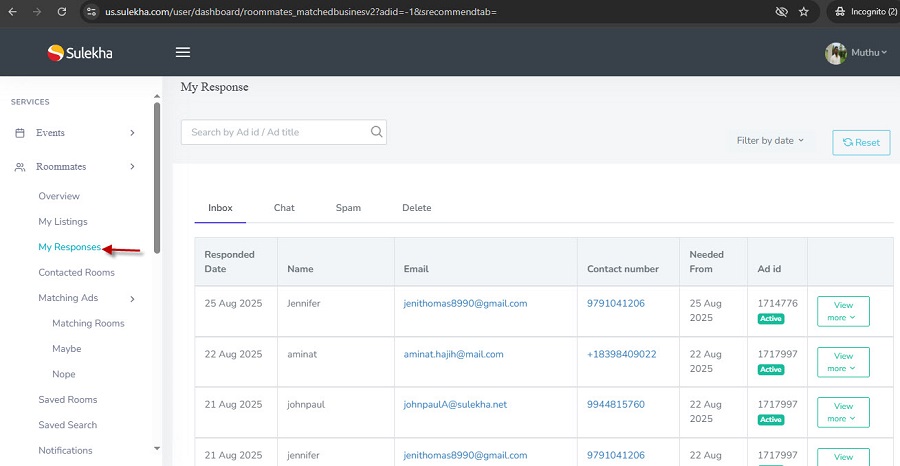
When someone responds to your ad, their details will be shared with you. You can view the responder’s contact information in your registered email as well as in your Sulekha dashboard under the “My Responses” section. You can then reach out to them directly through phone or email.
5) I just need a room. Do I have to post an ad?
There are two ways to find a room on Sulekha:
- You can directly search available listings, filter them based on your preferences, and contact the advertisers.
- You can post your requirement as an ad. This way, people offering rooms will find you and reach out directly - helping you get double the inquiries and faster responses.
Take the next step toward your goals
-
Add your room/room wanted details to find a suitable room and roommates.
-
Add details about your property or properties you're looking for to locate tenants and a place to live.
Other Housing Blogs
Rooms for Rent in Los Angeles Metro Area - How to Find a Single Room under Your Budget
The Los Angeles Metro Area is a wide and high demand region that includes Los Angeles city and surrounding pockets like Santa Monica, Culver City, Inglewood, Pasadena, Glendale, Burbank, Long Beach, Torrance, and more. People move here for jobs, univ
Furnished Rooms for Rent in Houston Metro Area: Simple Move in Checklist
Houston Metro Area is a spacious and well connected region with a mix of city life and suburban comfort. It covers Houston and nearby pockets where many people relocate for jobs, universities, and better living options. Because renters move in and ou
Shared Rooms in Detroit Metro Area - How to Save Money without Compromises
The Detroit Metro Area is a practical choice for many renters because it blends city access with suburban convenience. You will find active Indian communities across places like Detroit, Dearborn, Troy, Novi, Farmington Hills, Sterling Heights, and n
Indian Roommates in Dallas - Best Way to Find a Private Room Fast
The Dallas Fort Worth Motorplex is a large, well connected region that includes Dallas, Fort Worth, Irving, Plano, Frisco, Richardson, Carrollton, Lewisville, Arlington, and many growing suburbs. People move here often for jobs, universities, and new

Chicago Metro Area Roommate Guide: How to Find the Best Match Quickly
The Chicago Metro Area is a major hub with a mix of city neighborhoods and busy suburbs, so people relocate often for work, studies, and career growth. Because of this constant movement, the roommate market stays active and decisions get made fast. I

How to Find a Compatible Roommate in Boston Metro Area
The Boston Metro Area is a busy and well-connected region in Massachusetts that includes Boston city and surrounding areas like Cambridge, Somerville, Brookline, Allston, Brighton, Quincy, Malden, Waltham, and more. People move here for universities,
Rooms for Rent in Austin Metro Area: Private vs Shared Room Guide for Quick Decisions
Rooms for Rent in Austin Metro Area: Private vs Shared Room Guide for Quick Decisions
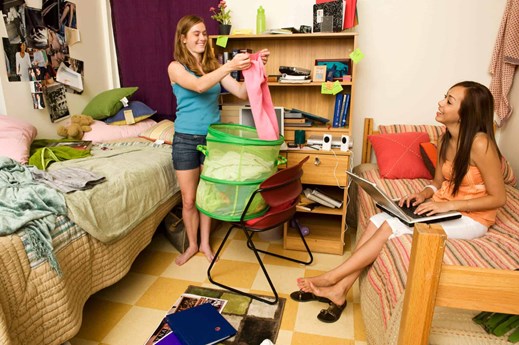
Private Room vs Shared Room in Atlanta Metro Area: What Should You Choose?
The Atlanta Metro Area is one of the most popular regions in Georgia, covering Atlanta city and surrounding suburbs like Alpharetta, Sandy Springs, Dunwoody, Marietta, Smyrna, Norcross, Duluth, Decatur, and more. People move here for jobs, universiti
Ad Visibility & Performance
1) How do I upgrade my ad for better visibility? To get more responses, you can upgrade your ad to a Premium, Elite, or Elite+ plan. These plans place your ad higher on listing and category pages, giving it priority over free and basic ads. Steps t
Payment & Refund Policy
1) How long does it take to receive my refund? Refunds are usually processed within 24 - 48 hours after verification by our team.. Once processed, the credited amount may take 3–5 business days to reflect in your bank or payment account, dependin
- Rental Properties in St.John's
- Rental Properties in Halifax
- Rental Properties in Charlottetown
- Rental Properties in Moncton
- Rental Properties in Montreal
- Rental Properties in Toronto
- Rental Properties in Winnipeg
- Rental Properties in Saskatoon
- Rental Properties in Calgary
- Rental Properties in Edmonton
- Rental Properties in Vancouver